


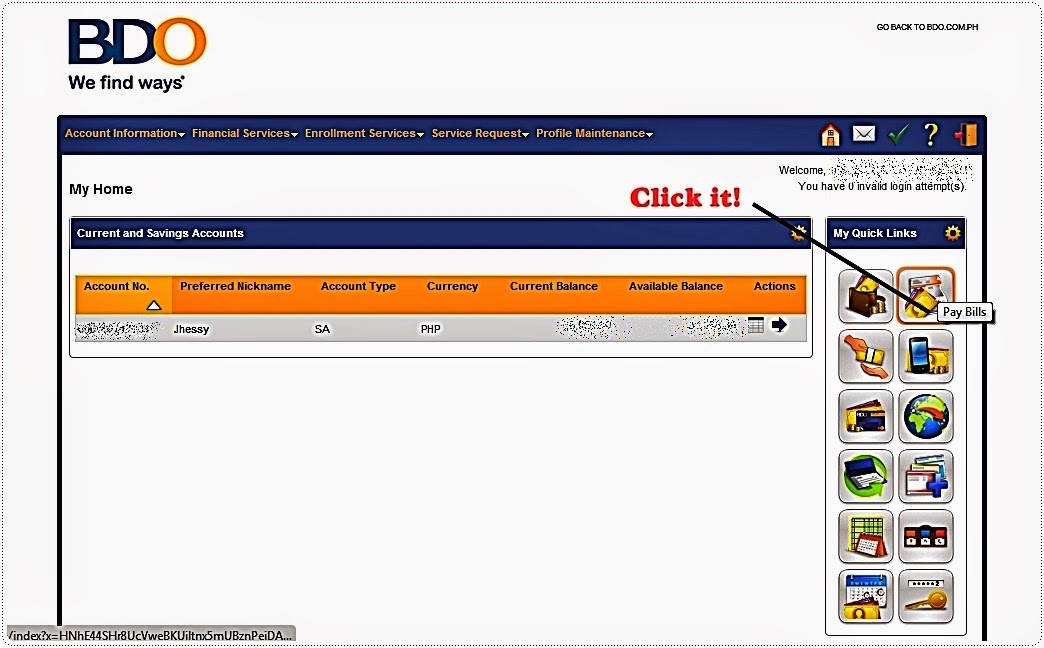
It is almost the same with how you pay through BDO Online Banking.
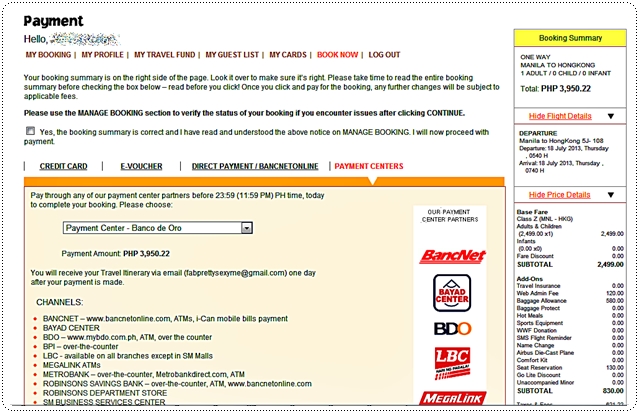
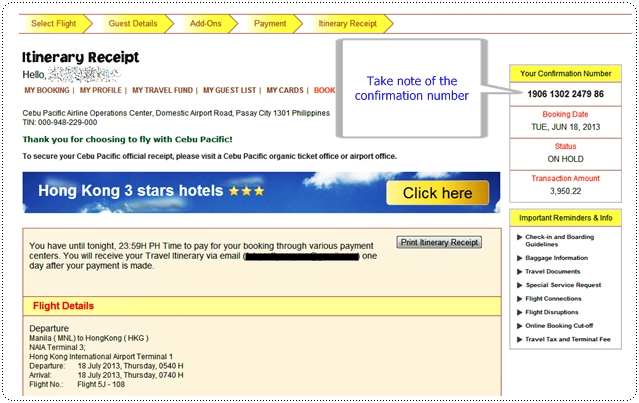
But with the new website, you just have to choose Payment Centers, as seen below. You will be taken onto the next page with your confirmation or booking number.

Take note of this booking number.
Go to your Metrobank Direct website. If you do not have one yet, please go to your branch of account to sign up. Online activation may take up to 3-5 banking days. Please call your bank for more details.
From your online banking, just select Pay Bills from the menu. Under Special Biller, select Others, then select Cebu Pacific as shown below. Fill up the necessary details. Please make sure you have your correct booking number.

After you hit the button "Continue", you will be taken to the confirmation page already. And voila, you're done. Just wait for the confirmed flight e-ticket in your registered email after 24 hours.
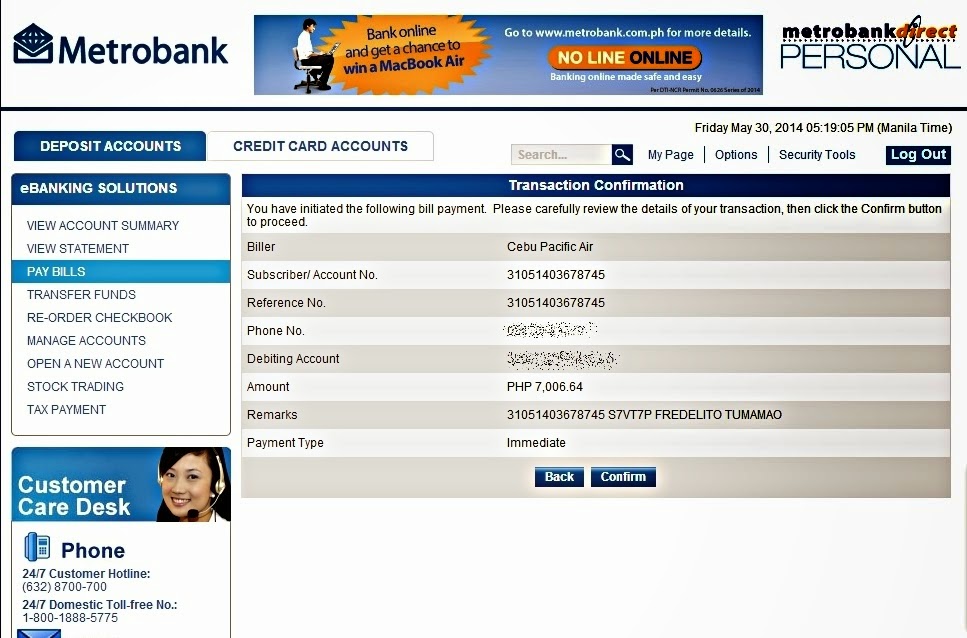
Below is a sample confirmation page taken from a previous booking. Once you hit confirm, you will be asked to input your transaction password, and you're done.

But with the new website, you just have to choose Payment Centers, as seen below. You will be taken onto the next page with your confirmation or booking number.
Go to your Metrobank Direct website. If you do not have one yet, please go to your branch of account to sign up. Online activation may take up to 3-5 banking days. Please call your bank for more details.

From your online banking, just select Pay Bills from the menu. Under Special Biller, select Others, then select Cebu Pacific as shown below. Fill up the necessary details. Please make sure you have your correct booking number.
After you hit the button "Continue", you will be taken to the confirmation page already. And voila, you're done. Just wait for the confirmed flight e-ticket in your registered email after 24 hours.
Below is a sample confirmation page taken from a previous booking. Once you hit confirm, you will be asked to input your transaction password, and you're done.

Read More »



.jpg)


